Child Profile
Child profiles are the foundation of personalized application emails. Each profile stores your child's details securely and uses them to generate tailored messages.
Why Child Profiles Matter
KitaBlitz uses child profile data to generate personalized application emails in German. The AI references your child's name, age, and voucher details to create authentic, professional emails that stand out to kindergarten administrators.
Creating a Profile
You can create profiles for multiple children. Each profile can be used to apply to different kindergartens.
Navigate to Children
Click "Children" in the sidebar navigation to open the child profiles section.
Click Create
Click the "New Child Profile" button to open the creation form.
Fill in Child Information
Enter your child's name, date of birth, gender, and your home address. Add parent/guardian names for the application emails.
Add Voucher Details
If you have a Kita-Gutschein (daycare voucher), enable the voucher toggle and select the appropriate voucher type for the hours you need.
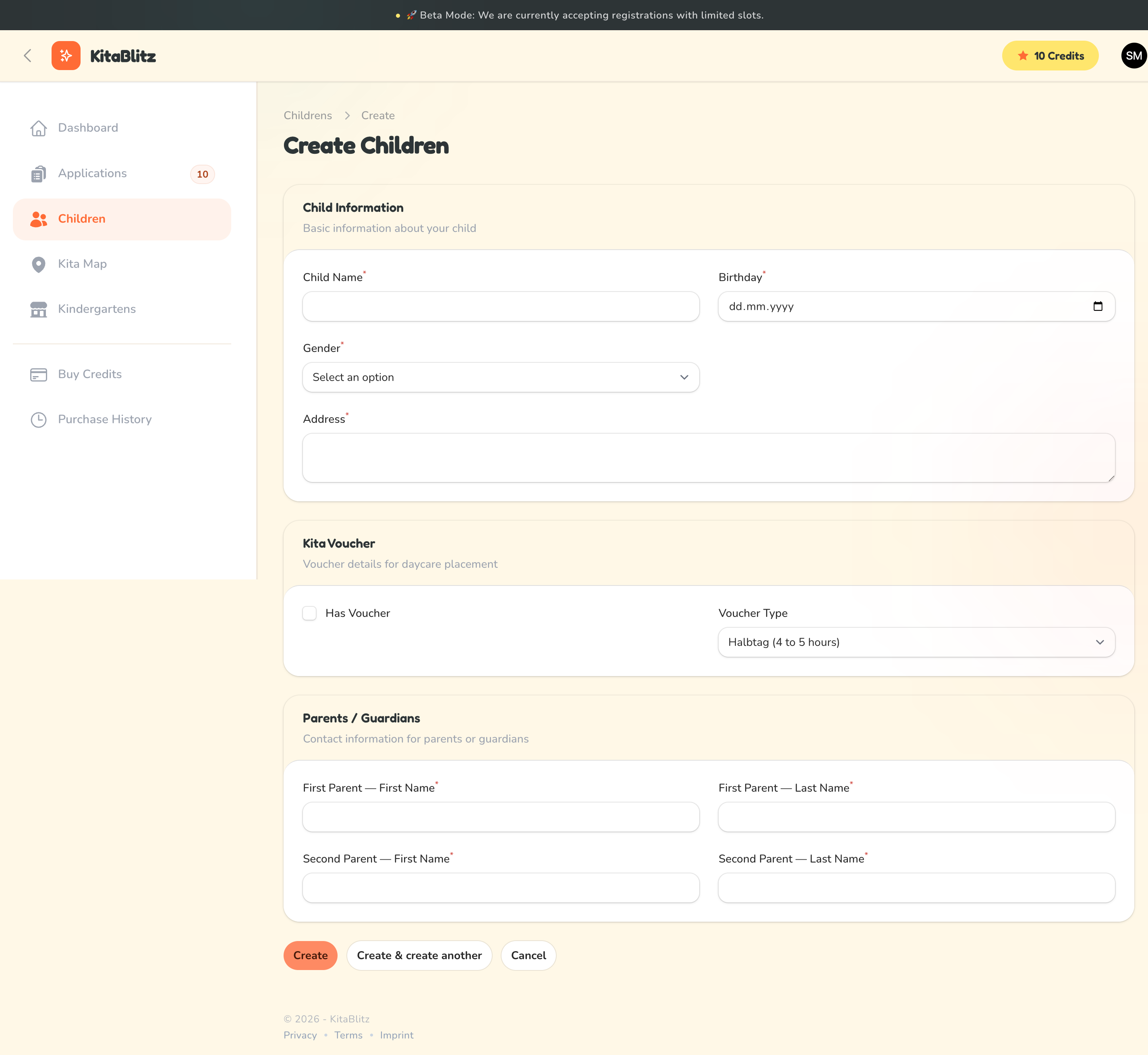
Creating a new child profile
Your Data is Encrypted
All personal information — names, birthdays, addresses, and parent details — is encrypted at rest in our database. Only you can see your child's data when logged in.
Voucher Types Explained
Berlin's Kita-Gutschein system offers different care durations. Select the type that matches your voucher:
Halbtag
Half-day care for 4 to 5 hours. Ideal for parents who need morning or afternoon coverage.
Teilzeit
Part-time care for 5 to 7 hours. A good balance between home and daycare time.
Ganztag
Full-day care for 7 to 9 hours. The most common option for working parents.
Erweiterter Ganztag
Extended full-day care for more than 9 hours. For parents with longer working hours or commutes.
Managing Profiles
You can edit or delete child profiles at any time from the Children section. Editing a profile will not affect already-generated emails, but new emails will use the updated information. Deleting a profile will also remove all associated applications.