Generate Email
Let our AI generate personalized, professional application emails in perfect German — tailored to each kindergarten and your child's profile.
How AI Generation Works
KitaBlitz uses AI to combine your child's profile data with the kindergarten's details to produce a natural, professional application email in German. The AI considers your child's age, name, voucher status, and the specific Kita to create a unique email every time.
Credit Cost
Each AI email generation costs 1 credit. The email is generated in the background — you will be notified when it is ready for review.
Single Email Generation
Generate an email for one application at a time:
Find a "To Do" Application
Go to your Applications list and find an application with "To Do" status.
Click "Generate with AI"
Click the "Generate with AI (1 Credit)" button on the application row.
Confirm Generation
A confirmation dialog appears. Click "Start Generation" to begin. The email is generated in the background and the page refreshes when ready.
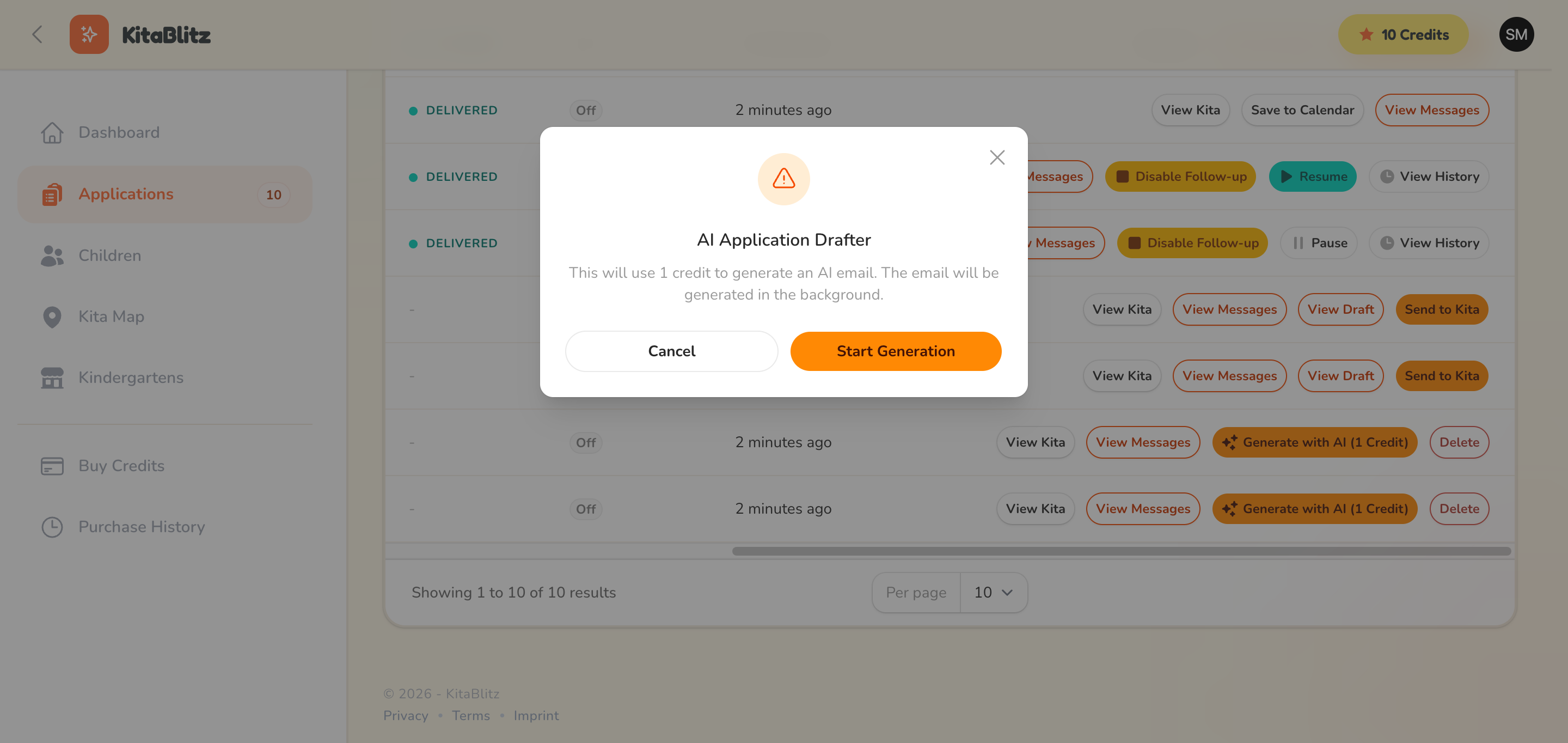
AI email generation confirmation dialog
Bulk Generation
Generate emails for multiple applications at once to save time:
Select Applications
Use the checkboxes to select multiple applications with "To Do" status.
Click "Generate AI Messages"
Click the bulk action button at the top of the table.
Confirm Bulk Generation
Review the credit cost (1 credit per application) and confirm. All emails are generated in the background.
Check Your Credit Balance
Before bulk generating, make sure you have enough credits. Each application uses 1 credit. If you run out mid-batch, remaining applications will be skipped.